
Safesize
Measure feet at home with a phone camera: a guided tour that gets the scan right first time.
The challenge
Foot scanning only works when the paper, socks, floor and camera angle are right, and most people get at least one wrong on the first try.
What we designed
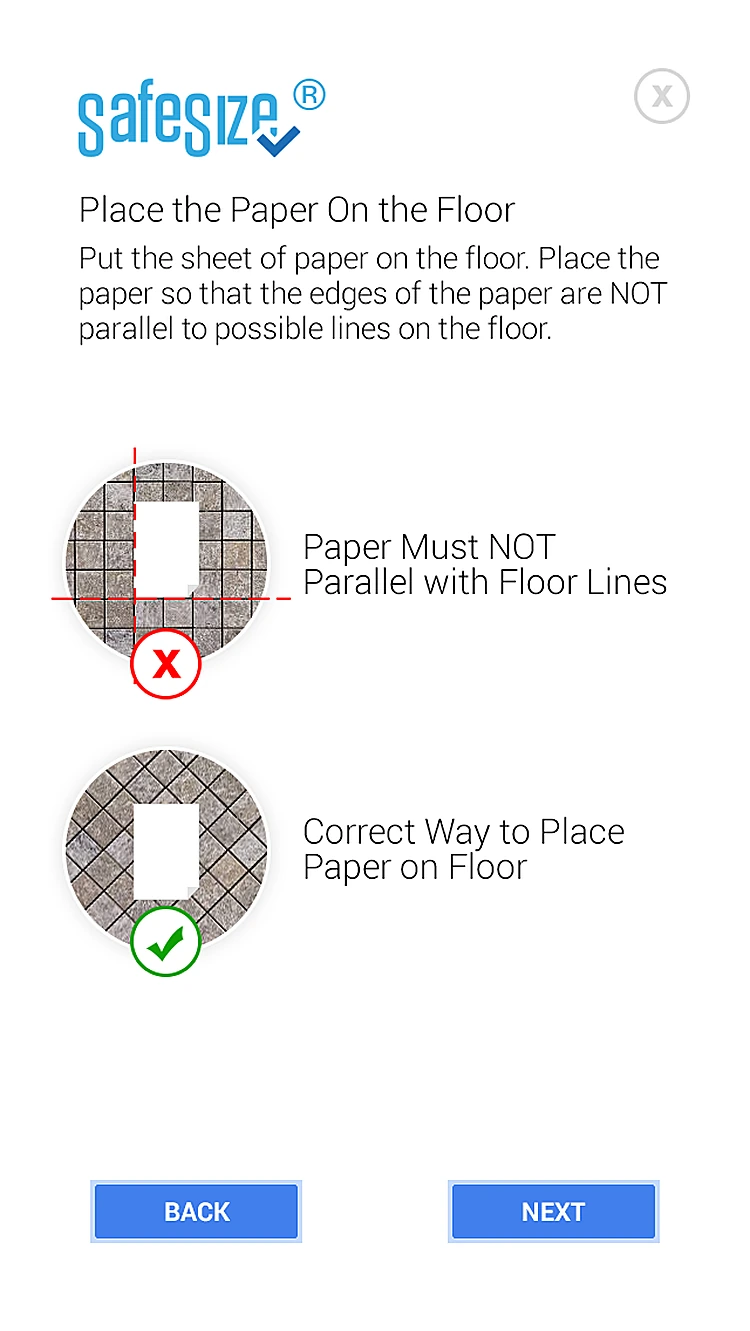
We wrote and illustrated a step-by-step tour with clear do's and don'ts, separate routes for scanning yourself or someone else, and examples of good and bad scans.
- 16-step guided tour
- Custom illustrations
- Self and helper scan routes
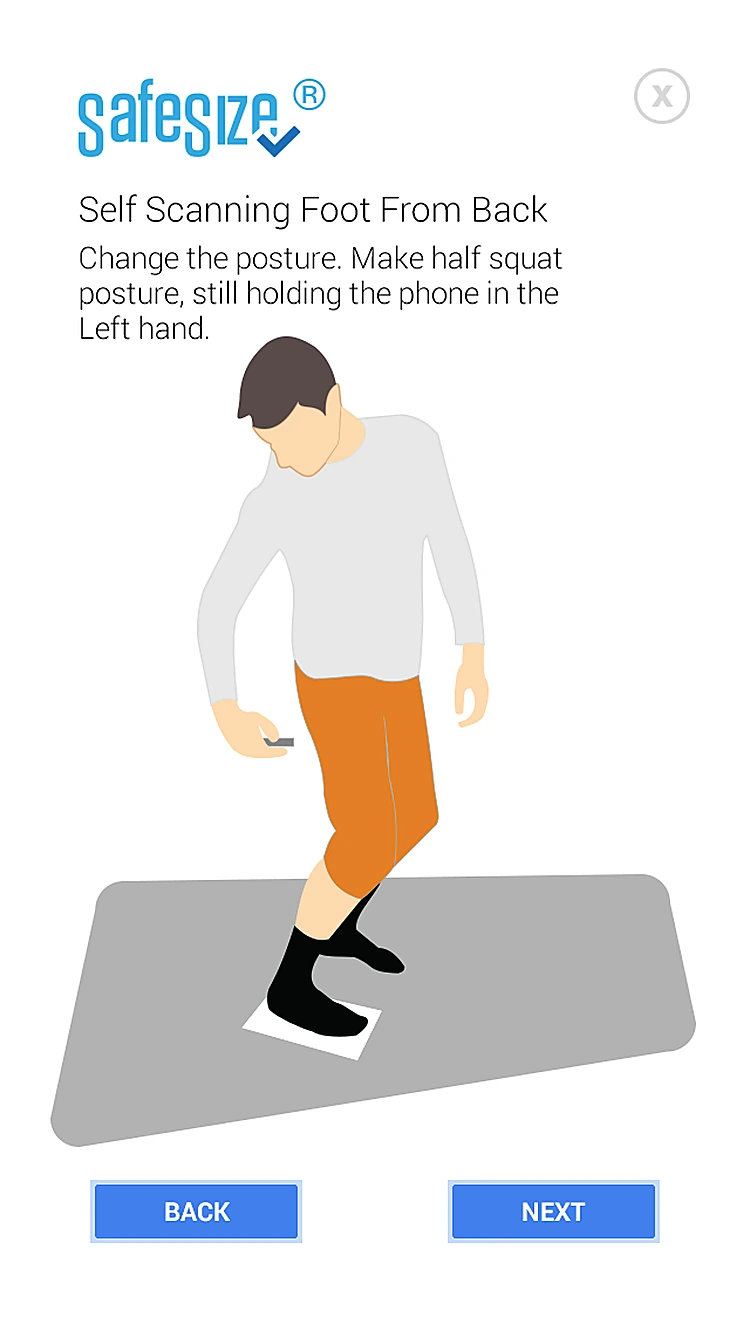
- Front and back capture guides
- Good vs bad scan examples
How someone moves through Safesize
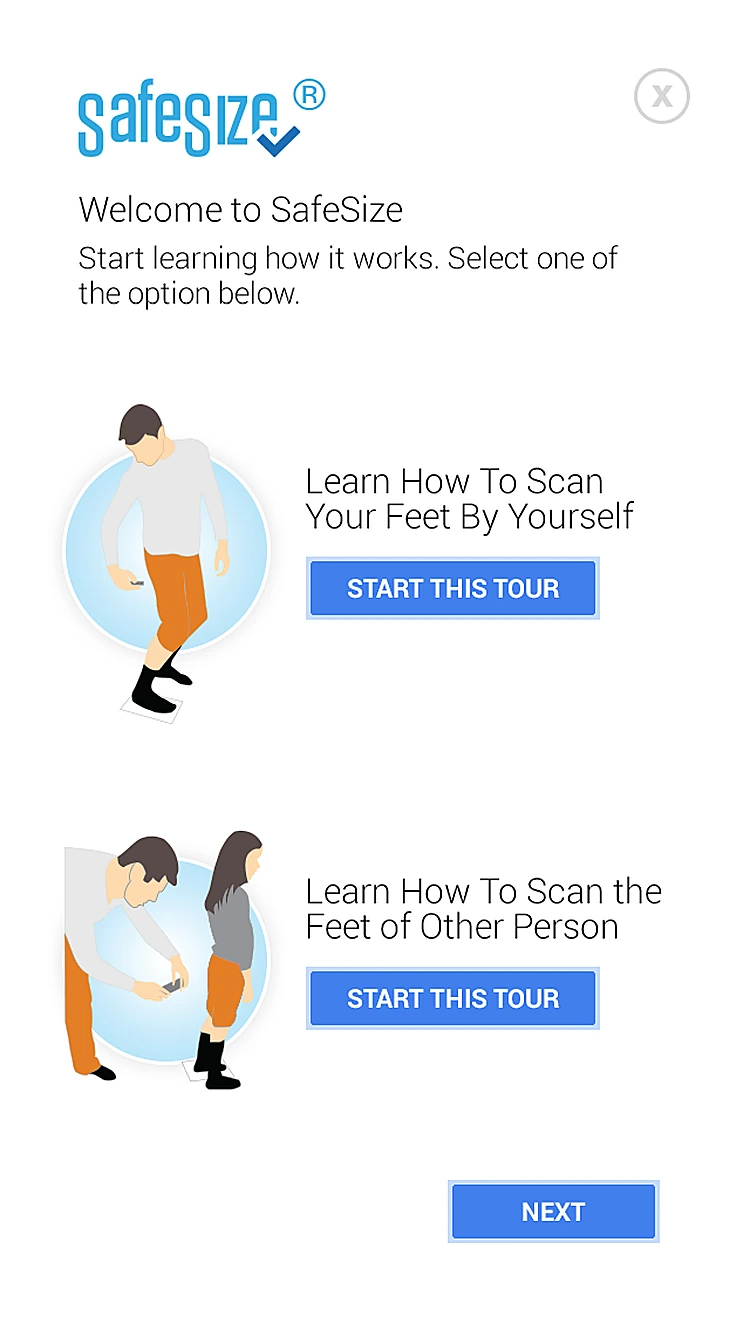
- 01WelcomeChoose to scan your own feet or another person's.
- 02
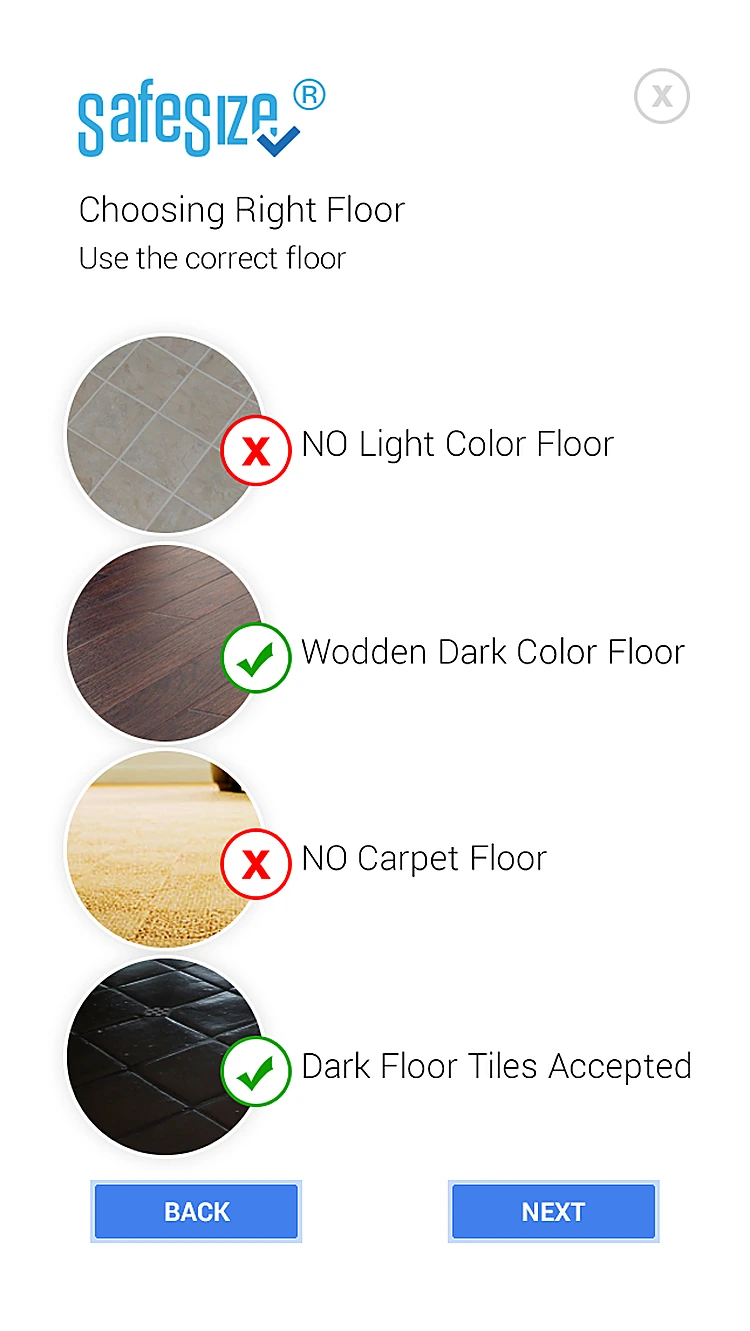 Choosing the floorDark wood or tiles work; light floors and carpet don't.
 - 03
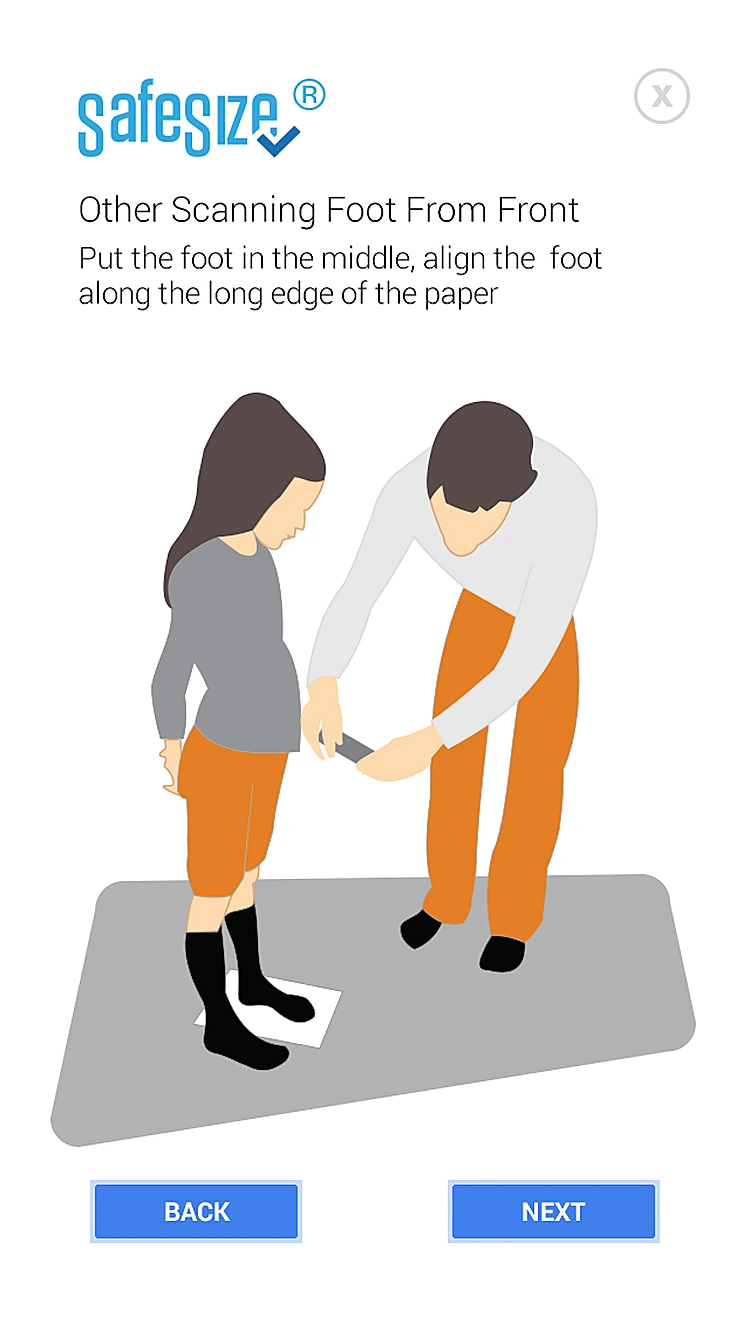
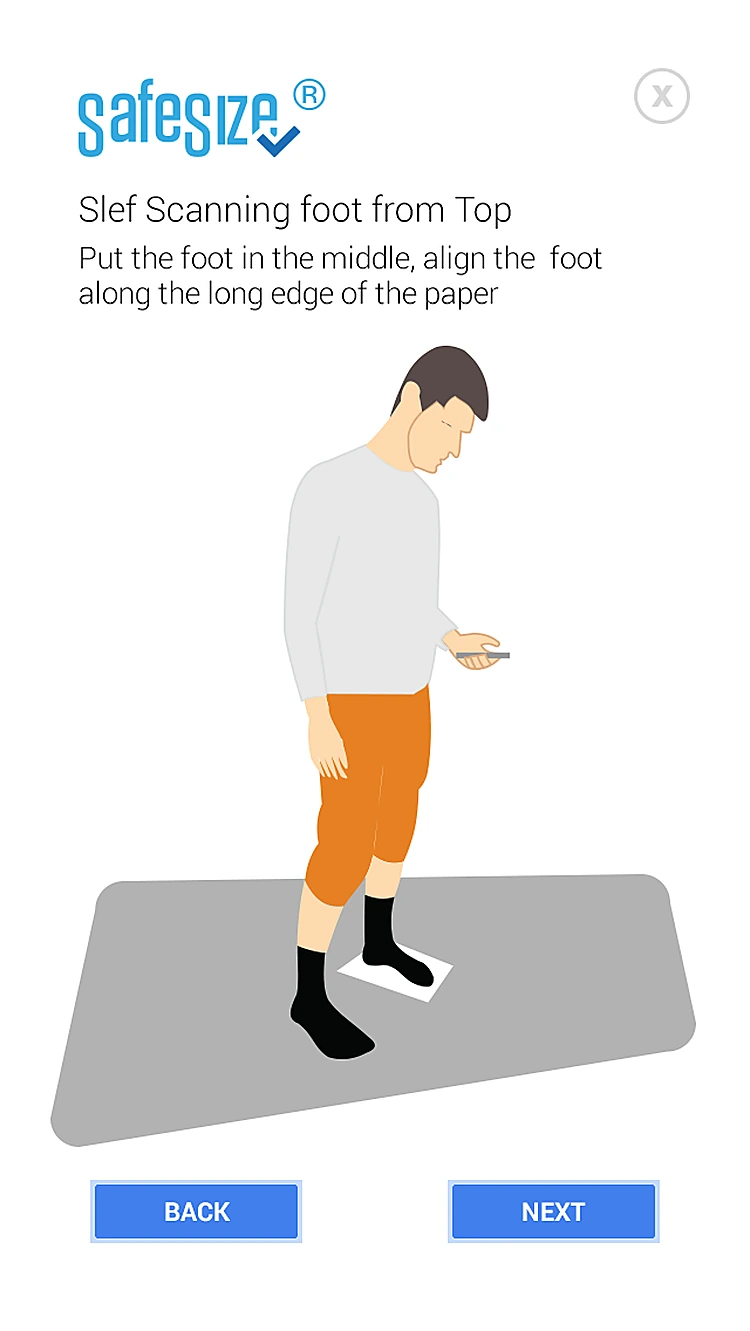 Scan from the topFoot in the middle, along the long edge of the paper.
 - 04
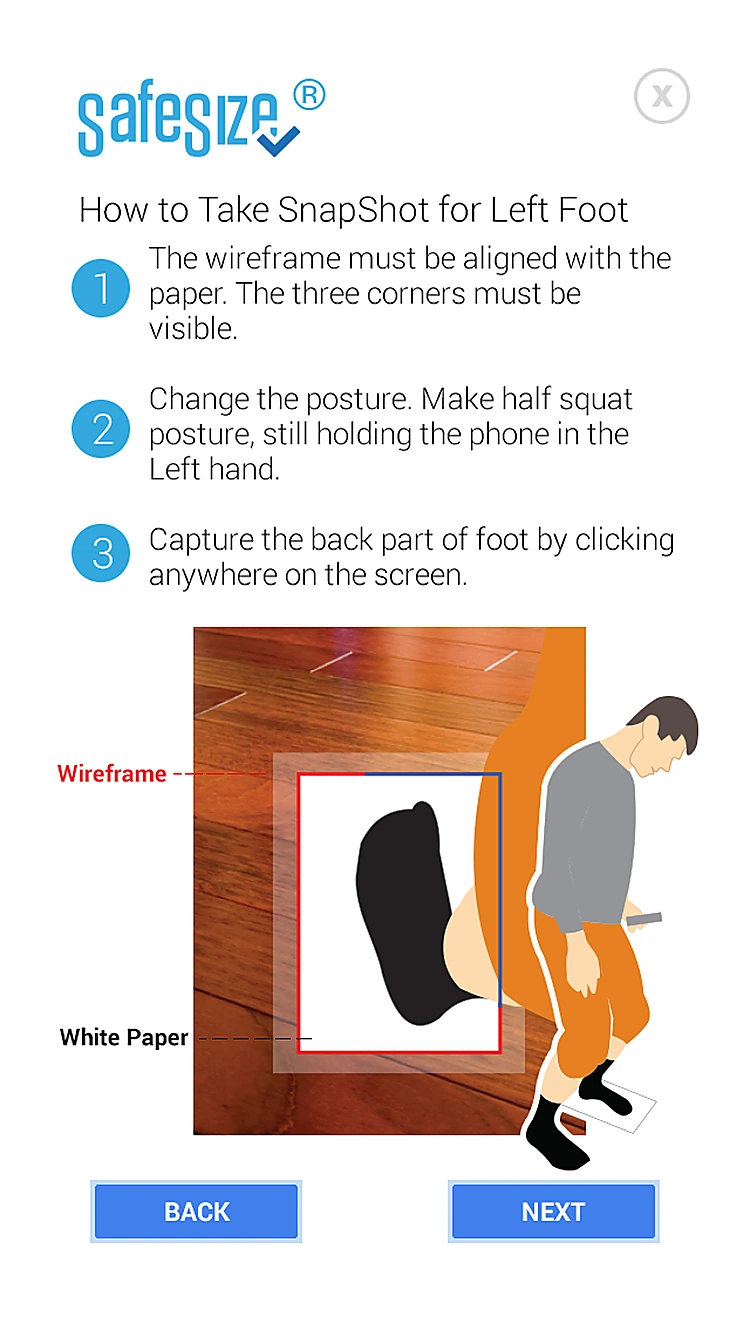
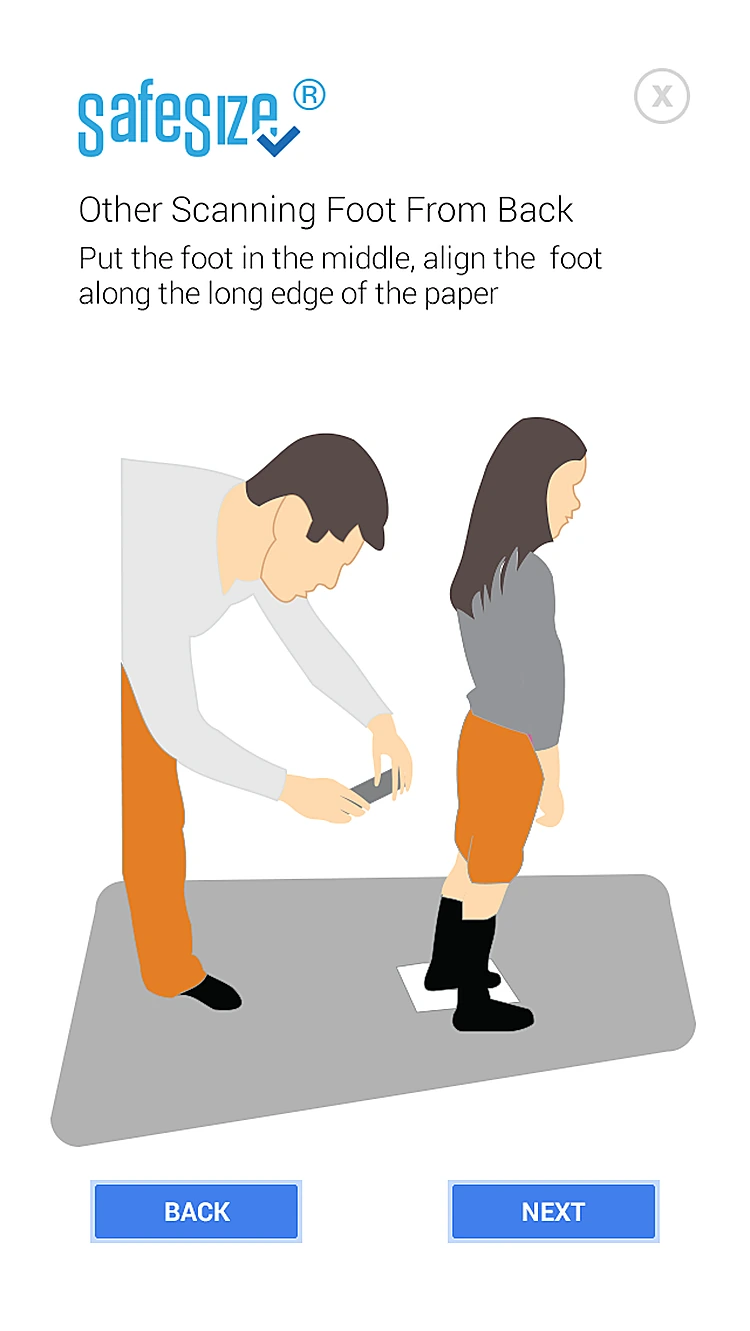 Helper scan: backAnd from behind, along the paper.
 - 05
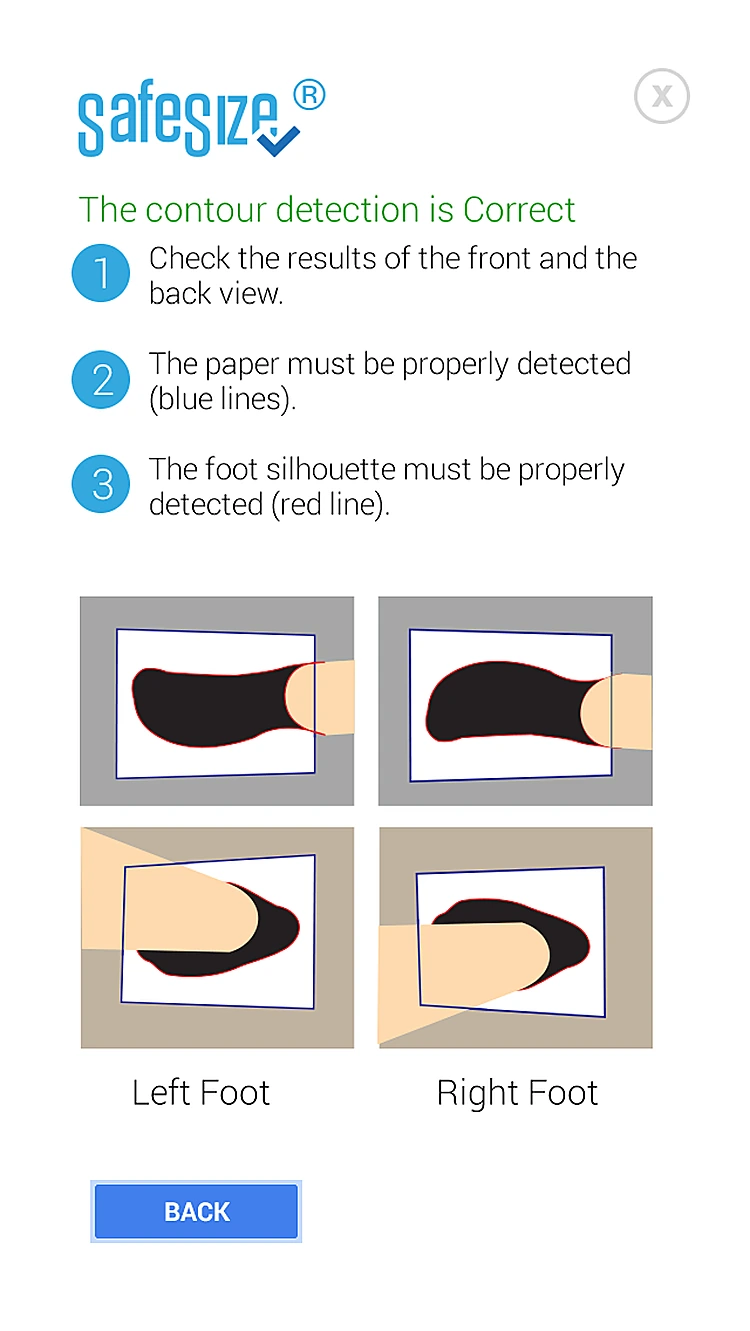 Correct detectionHow a correct paper and foot outline looks.
 - 06
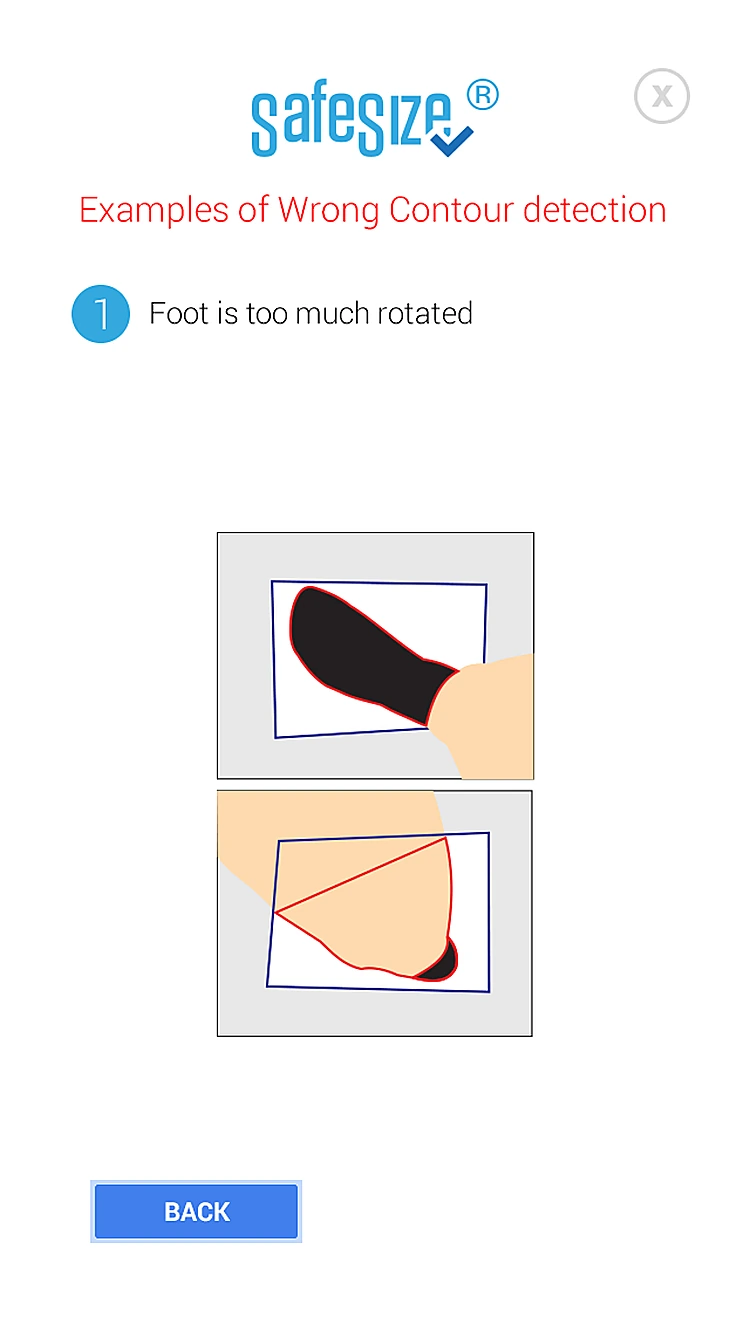 Wrong: rotationA foot turned too far can't be measured.
Every screen, all the way round.
Drag to spin the carousel, or let it turn on its own.
Designed around what users need most
Two guided tours
Scan your own feet, or scan someone else's.
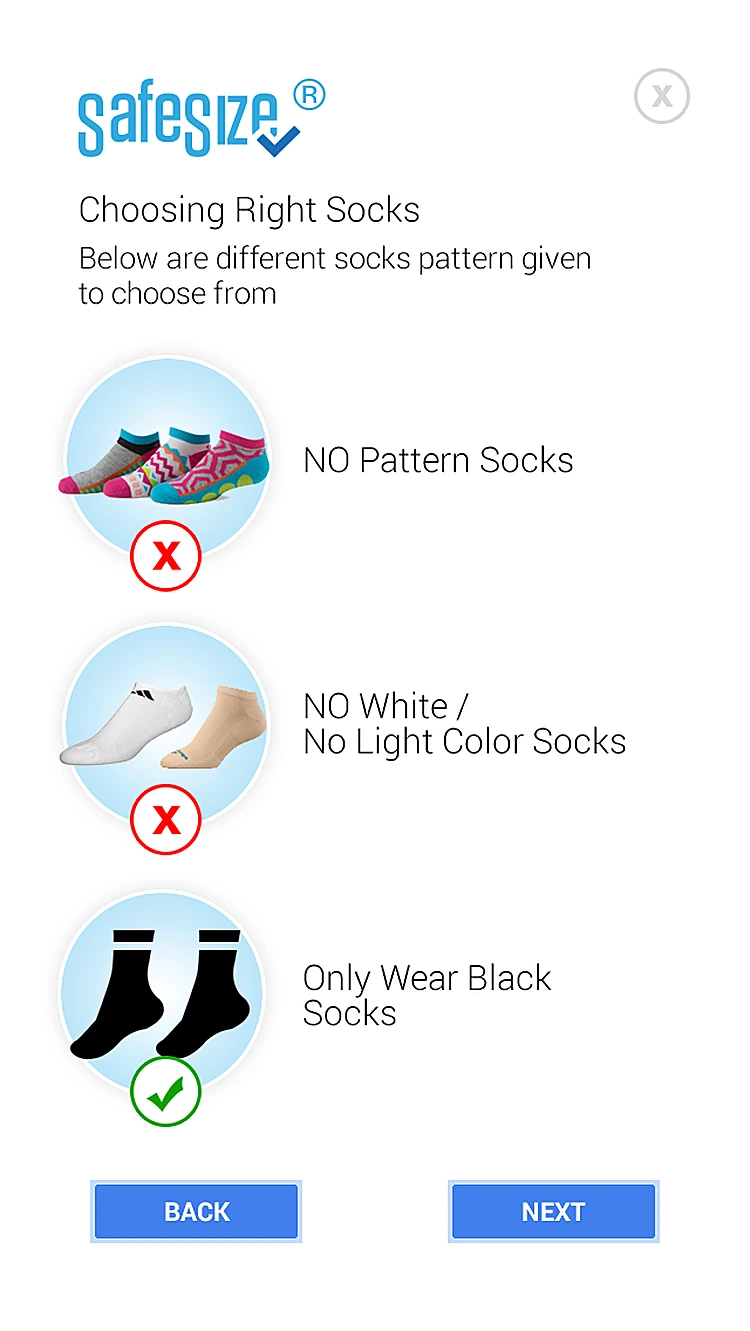
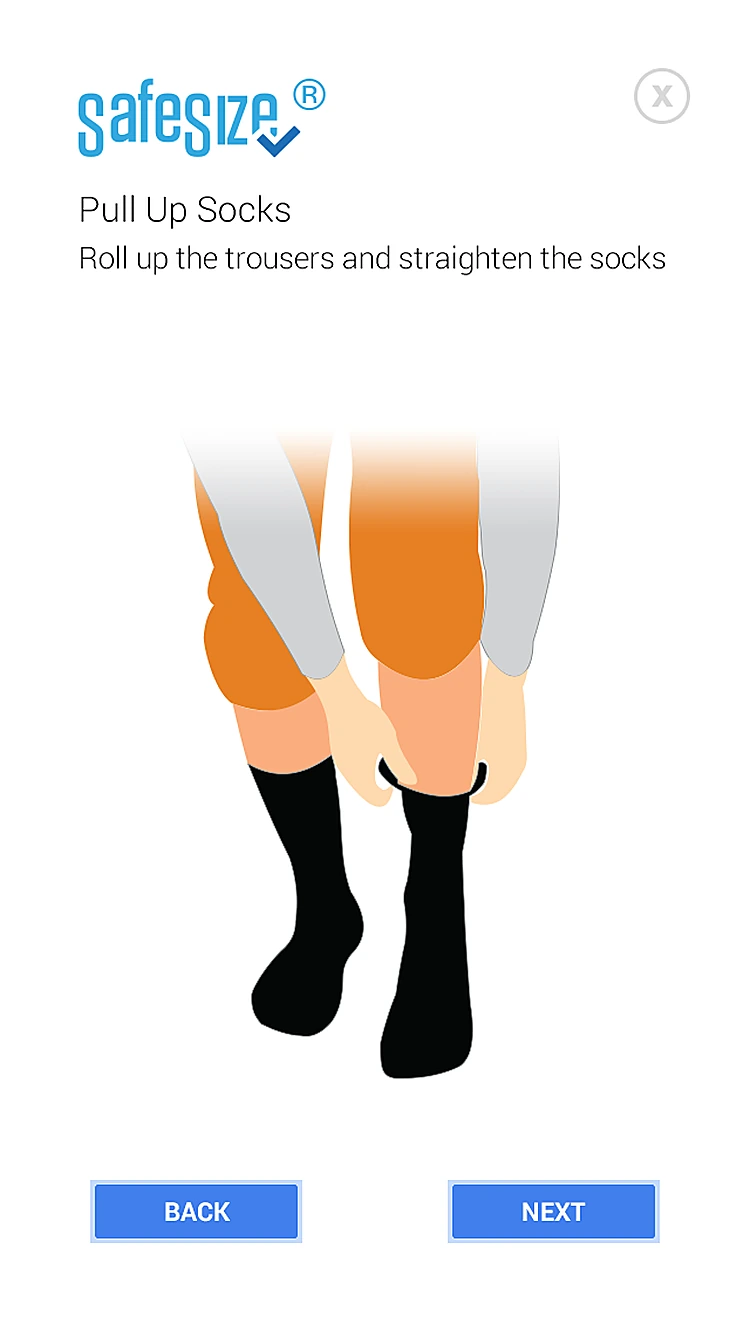
Choosing socks. Only plain black socks give a clean outline.
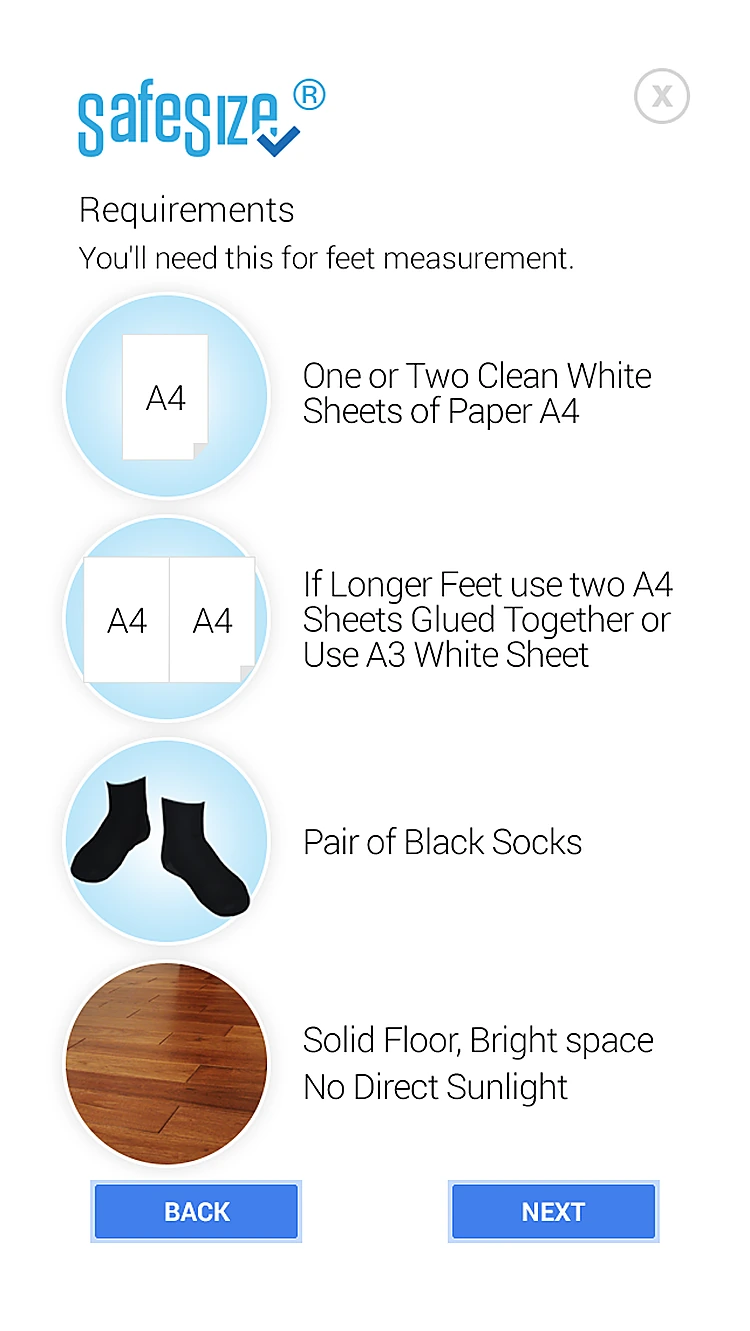
Right setup first
Clear do's and don'ts for paper, socks and floors.
Scan from the top. Foot in the middle, along the long edge of the paper.
Front and back shots
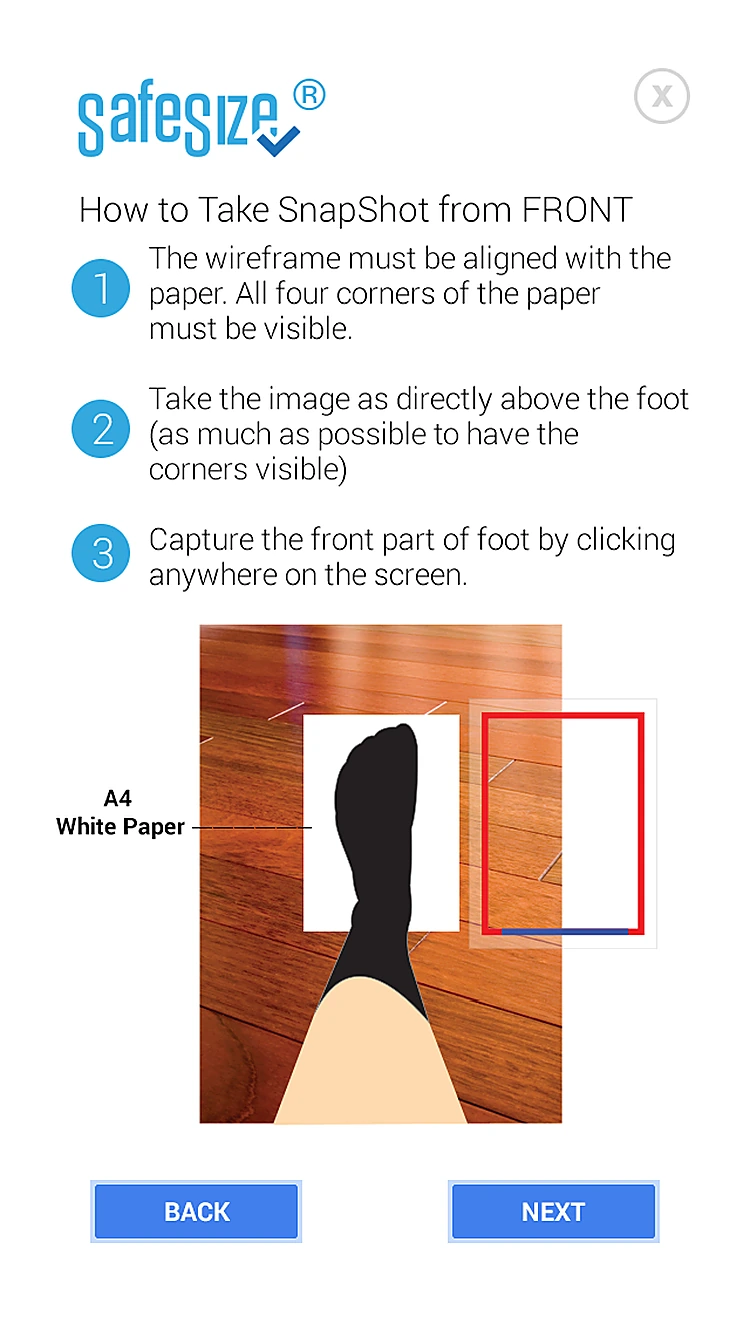
Step-by-step posture and camera guidance for each foot.
Snapshot from the front. Align the wireframe with all four paper corners.
Good vs bad scans
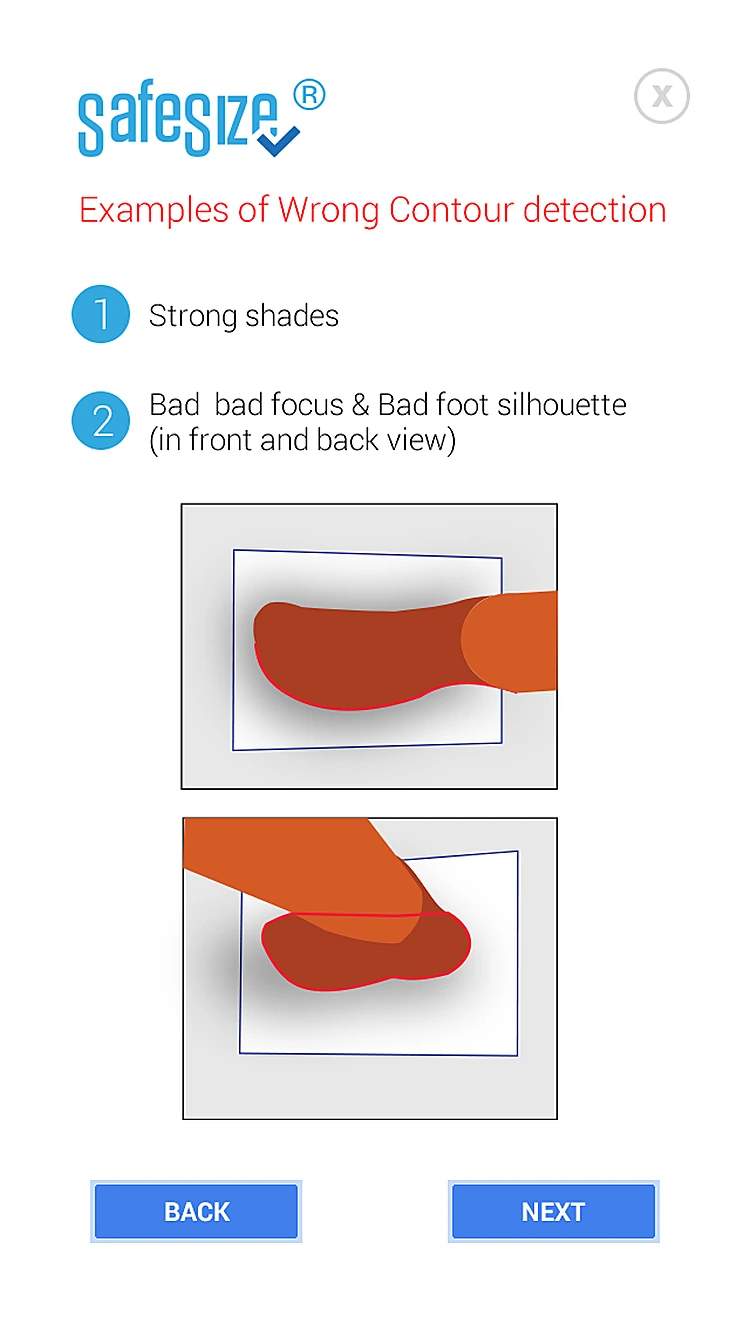
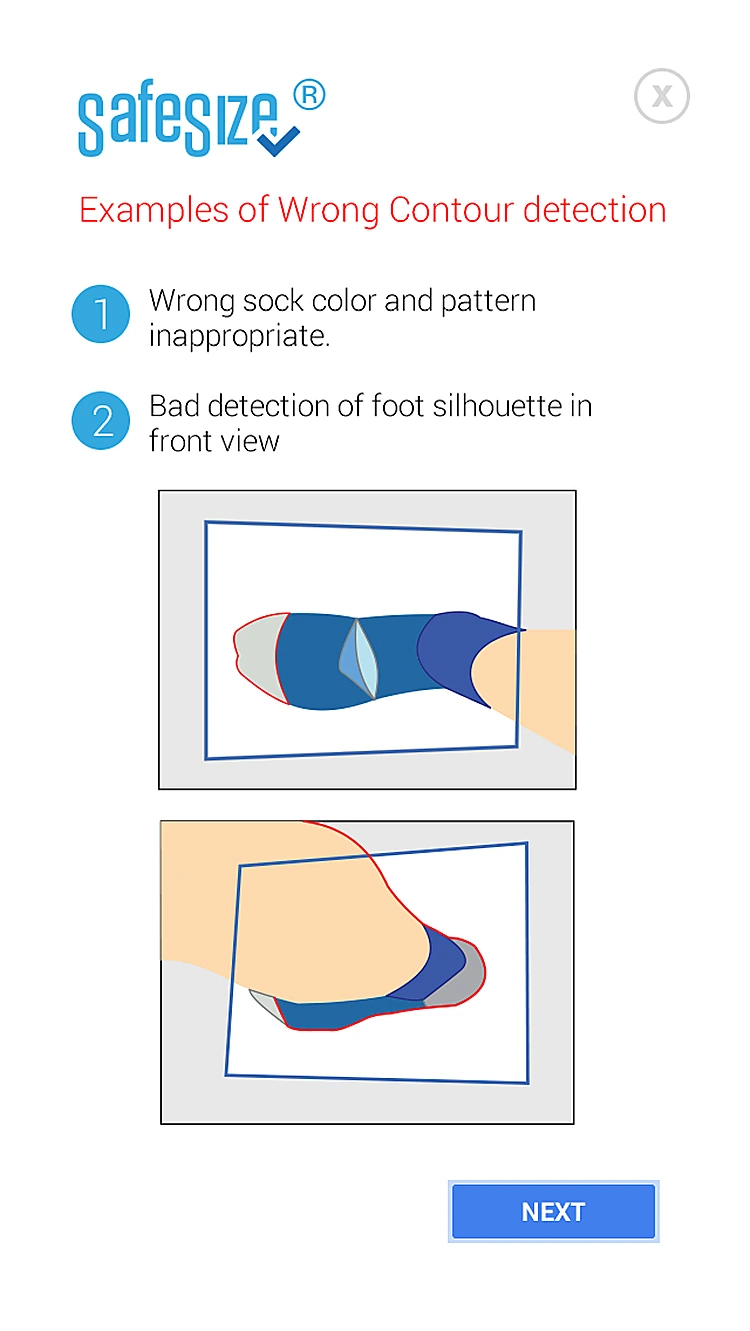
Examples of correct and wrong contour detection.
Wrong: shadows. Strong shadows and bad focus spoil the scan.
All 16 screens
Hover a screen to lift it out of the layout.
Colour palette
The main colours across the Safesize screens, measured from the designs themselves, with how much of the interface each one covers.
- #FFFFFF90% of screens
- #B2B2B25% of screens
- #427FEB1% of screens
- #D691571% of screens
- #FEDAAF1% of screens
- #2518141% of screens
Have an app idea like Safesize?
Tell us what you want to build. We'll reply with a free consultation, a design approach and a clear quote.